Welcome to PEAK Athletics
Before your first class: follow the steps below. This takes 3–5 minutes and saves workout time.
4 Steps
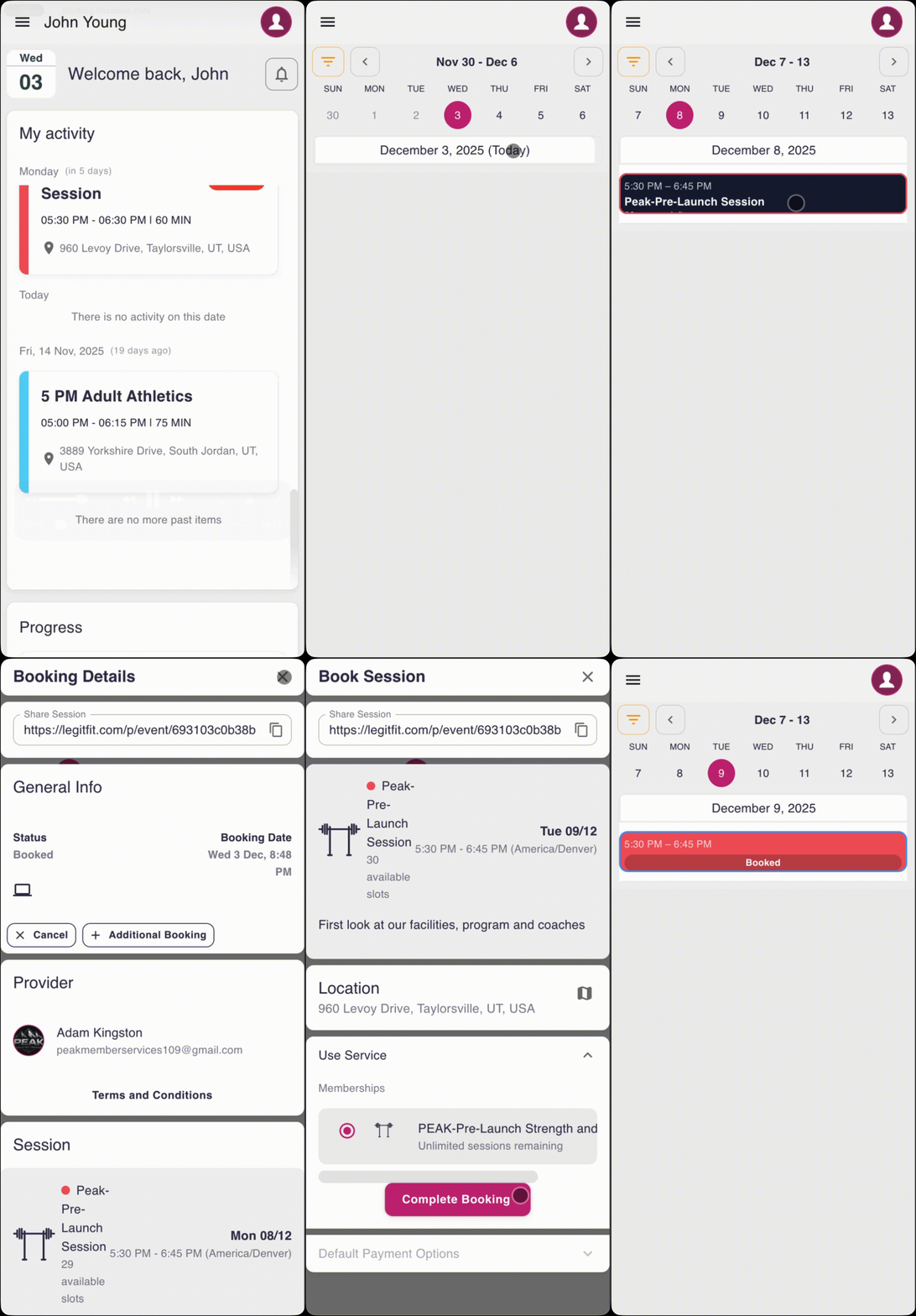
1) Book your sessions (LegitFit)
- Sign in with the email you purchased with.
- Open the Timetable and book the sessions you’ll attend each week.
- Guest Pass: use + Add Member when booking to add the guest so we have an accurate head count.
2) Print & sign waivers
Please print and sign both forms before your first class. We have copies at PEAK too, but signing on-site can eat into workout time.
3) Show up ready
- Arrive: 5–10 minutes early on day one.
- Bring: training shoes + water.
- Parking: park in the designated areas and keep drive lanes clear.
- Check in: let the coach know you’re here when you arrive.
4) Review the training phases
See what we are working on now and what is coming next so you know the focus for each phase.
View Training PhasesLocation
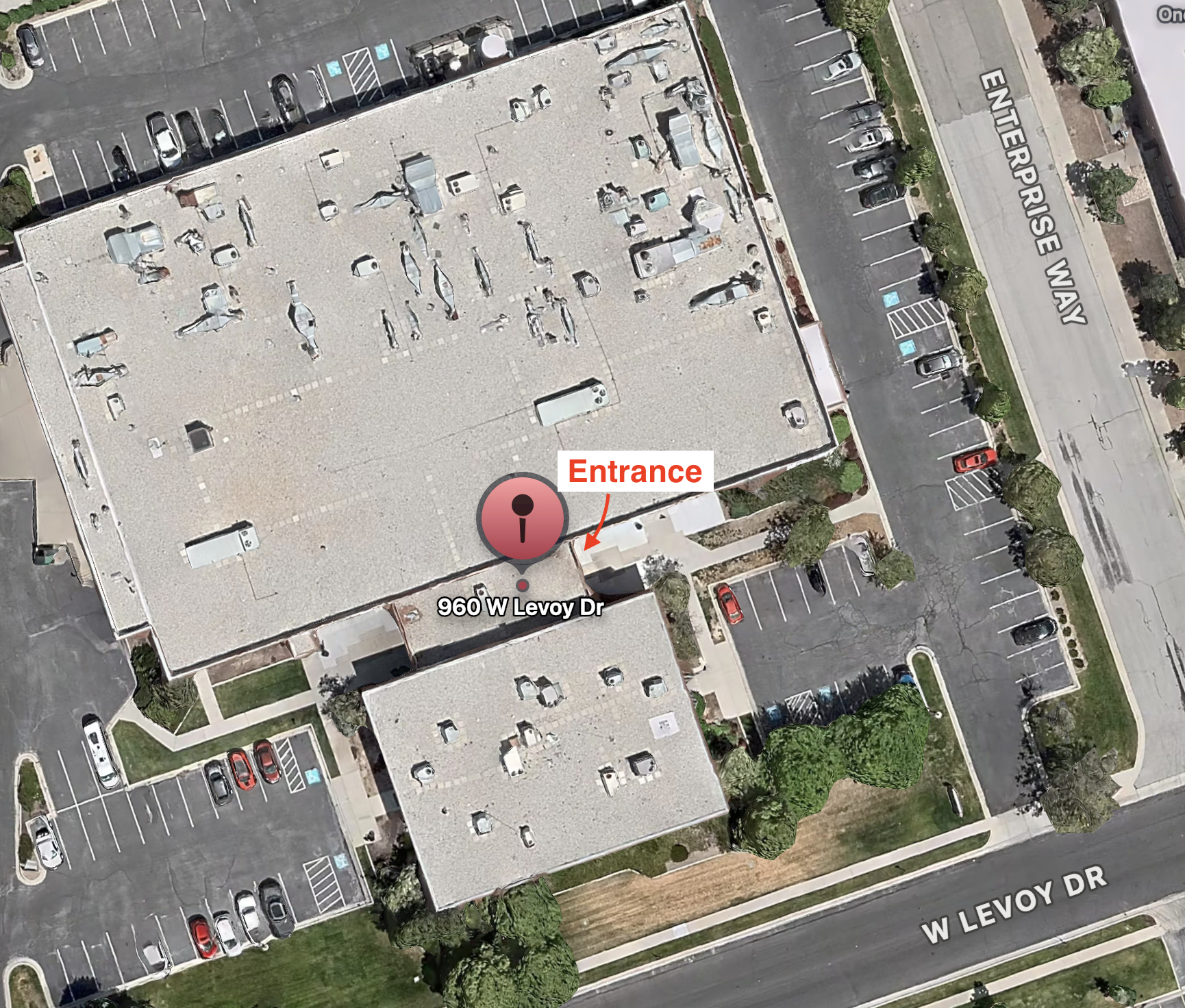
PEAK Athletics Training
960 W Levoy Dr
Salt Lake City, UT
- Park respectfully for other tenants.
- Keep entrances and drive lanes clear.
Parking reminder: Do not stay longer than 10 minutes after your session. If you need more time, please use the farther parking spots so closer stalls stay open for other tenants.
Health Assessment
If you schedule a Health Assessment, please come at your exact appointment time. To keep your assessment on schedule, you must have the Hume app installed and your account created before you arrive. Once the app asks you to connect to a scale, you’re done with setup — that’s when we step in and guide you through the scan.
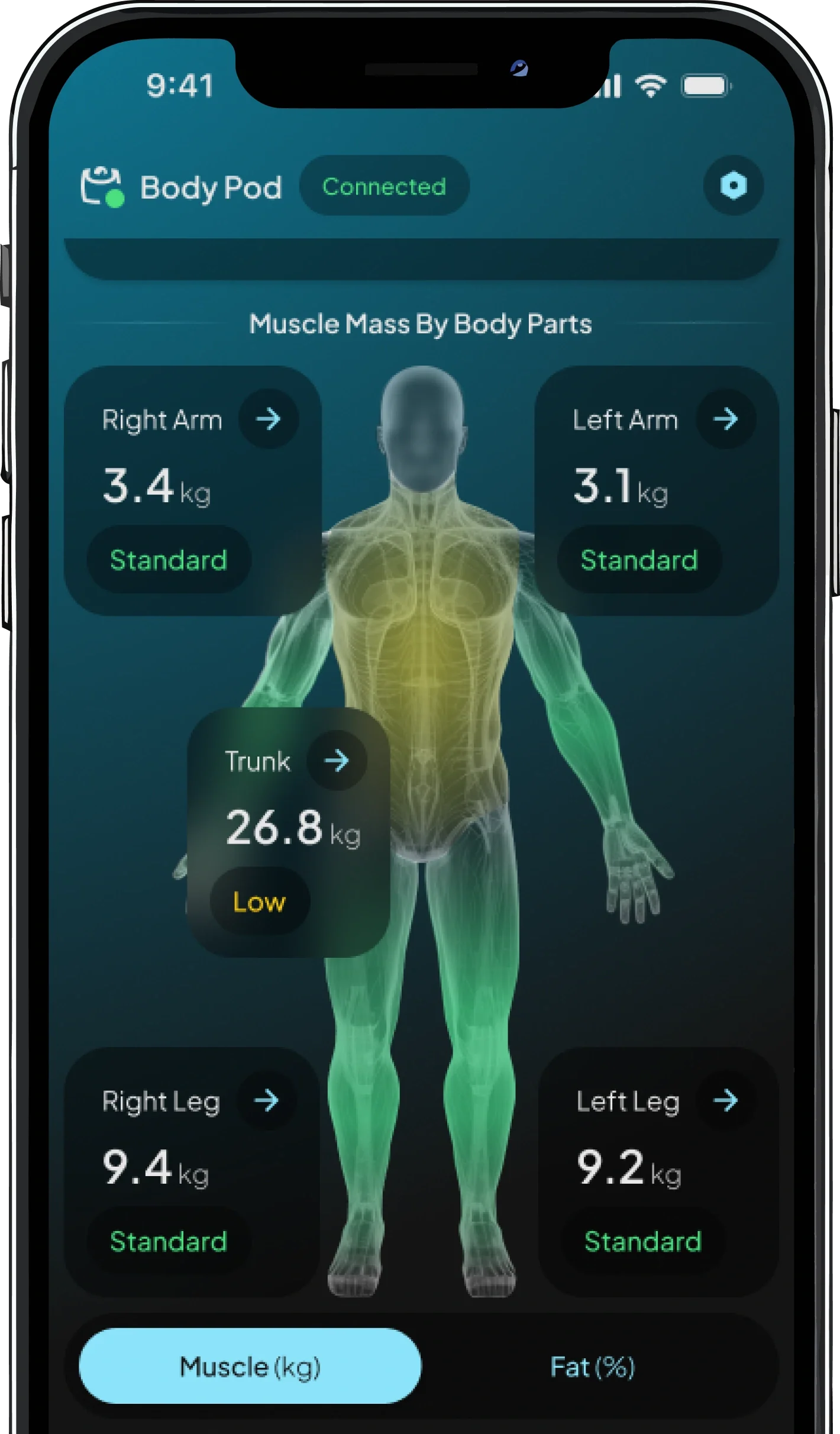
- Install the app and create your account before arriving.
- When it asks to connect to a scale, stop there.
- Arrive a few minutes early so we can start on time.
Important: If the Hume app/account isn’t set up when you arrive, your assessment will be rescheduled.
FAQ
Need more answers? Visit the Help FAQ.
Need help?
Start with our Help page if booking or waivers give you trouble.